Wix · 2026
Build Automations with GenAI
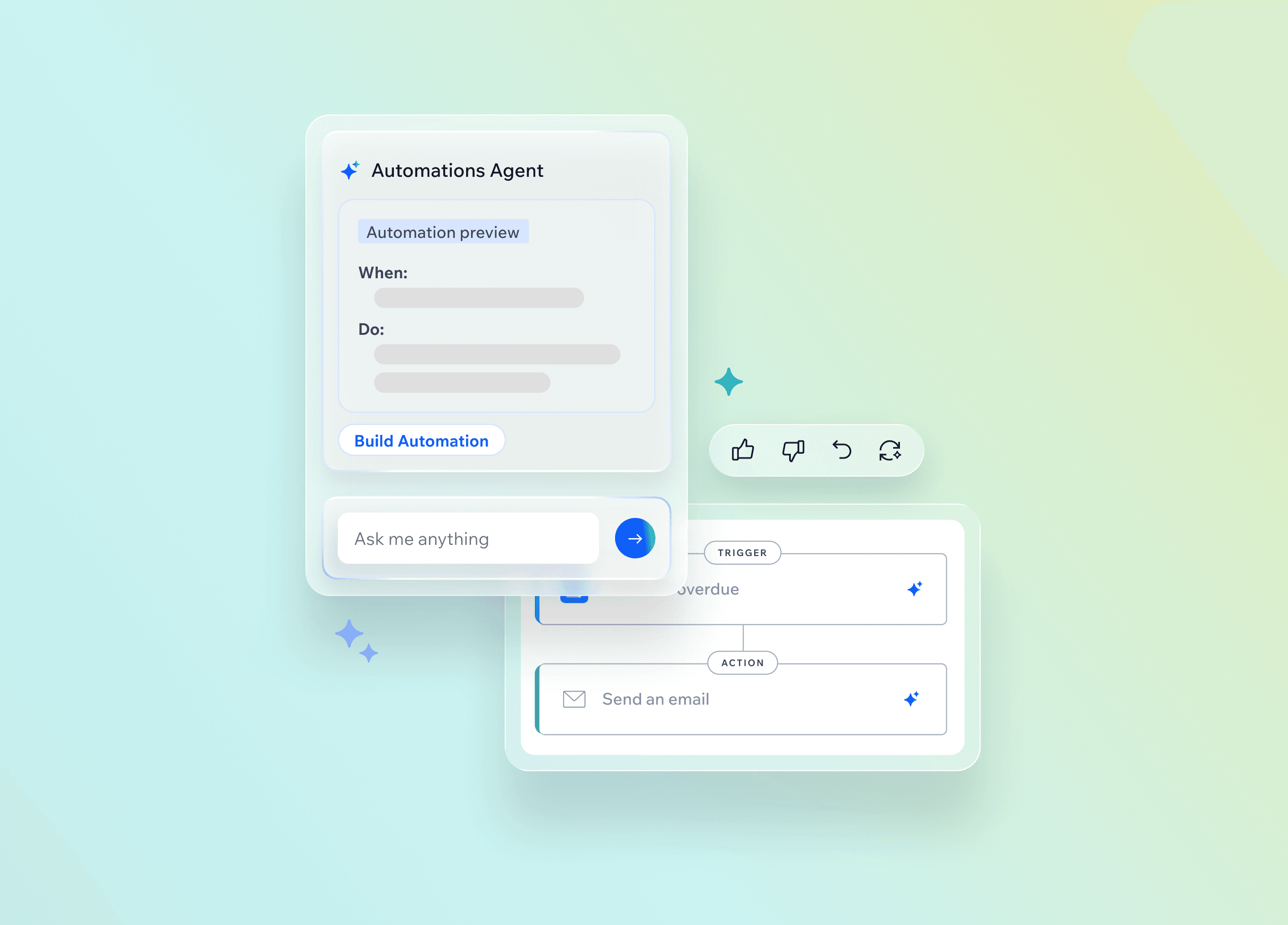
I designed a conversational GenAI experience for Wix Automations so all users can create and edit complex logic in natural language, without losing control of the canvas.
The Problem
Building complex logic in Wix Automations takes deep product expertise that users don't have
Wix Automations lets site owners build workflows from triggers, conditions, and actions. The existing builder is powerful, but turning a business goal into that logic still takes expertise most Wix users don't have.
The Solution
Close the expertise gap with conversational GenAI
Our goal was to let any Wix user create and update automation logic, from simple flows to advanced conditions, in natural language, while the familiar builder stays available to review, edit, and go deeper.
Research
Ground the design in research
To design the best solution, I combined competitor benchmarking, analysis of users' conversations with Wix's AI agent, Customer Care input, and published AI UX guidelines.
Benchmark competitors to find our opportunities
Automations platforms



AI creation


Wix products

I studied automation platforms and AI builders to see what they get right, where they fail, and where Wix Automations could lead. I also reviewed other Wix GenAI products for UX patterns worth adapting.
Market strengths
- Multiple entry points before and during editing
- Consent and preview before changes
- Empty states that set expectations
- Fallback paths when AI fails
- Undo as a safety net
Market weaknesses
- Consent skipped before canvas changes
- Canvas and chat out of sync
- Vague step overviews
- AI can hallucinate, miss errors, or ramble
What I took going forward
- Use adaptive consent: confirm high-impact changes; autoapply low-risk ones.
- Keep the chat practical, precise, and concise.
- Undo is essential to make GenAI feel safe.
- Wix had no established GenAI flow pattern, but it did have an AI chat component we could reuse as a foundation.
Discover what our users need from AI
From user interviews and the Customer Care team, we learned where users struggle most when building automations:
- Goal-to-logic translation — Turning an abstract business goal (e.g., get paid on time) into a concrete automation flow (e.g., 2 weeks before an invoice is due, send a reminder email).
- Configuration complexity — As an automation gets more complex, there are more dependecies within the settings and it gets easier to break.
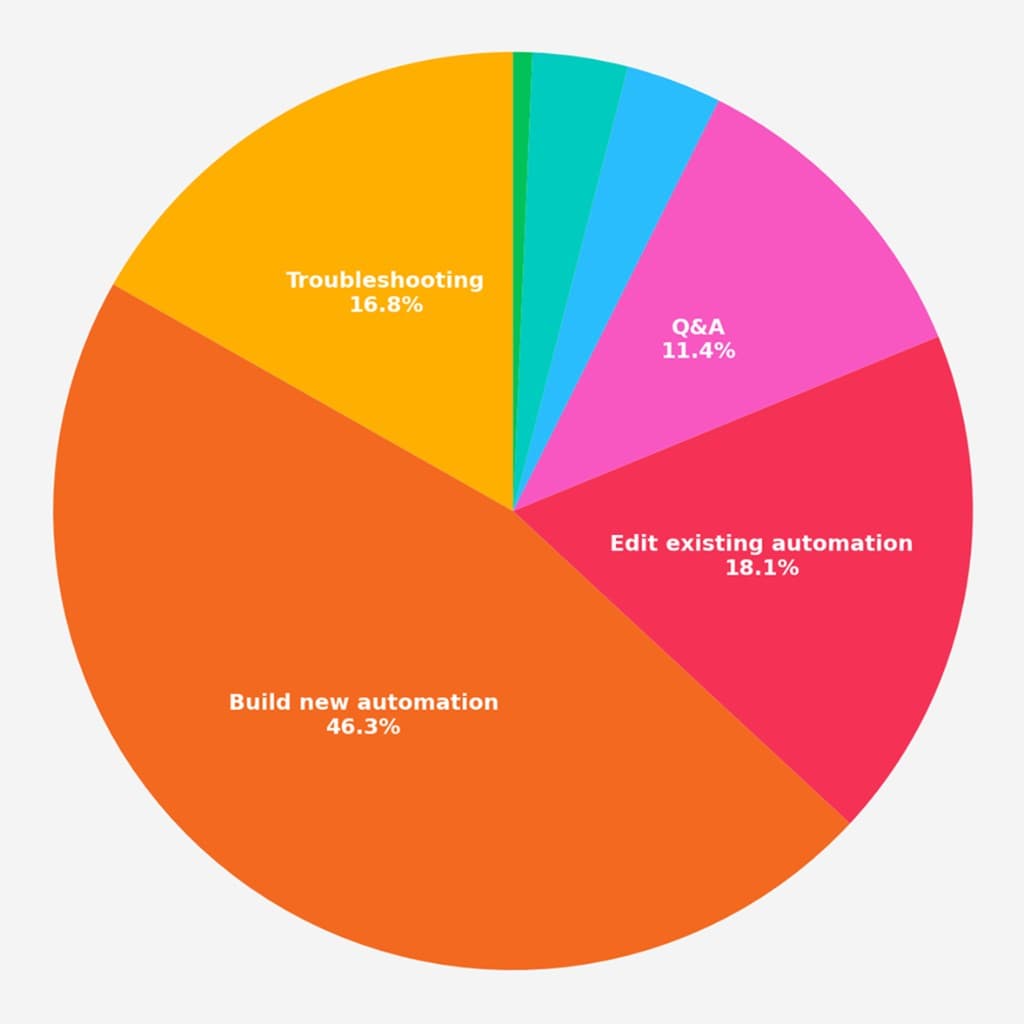
Our PM's analysis of 150 user conversations with Astro, Wix's generic AI agent, showed that ~46% of intents were about building new automations. That set the priority order: create first, then refine, then recover when something breaks.
Review AI UX literature
To complement the user research, I turned to UX literature and best-practice articles on designing AI features. A few principles stood out, including:
- Keep the user in control — Confirm high-impact changes, and always allow editing and reverting.
- Be explicit about AI capabilities — Don't assume users know what to ask; show what the AI can and can't do.
User Flows
Mapping the core flows
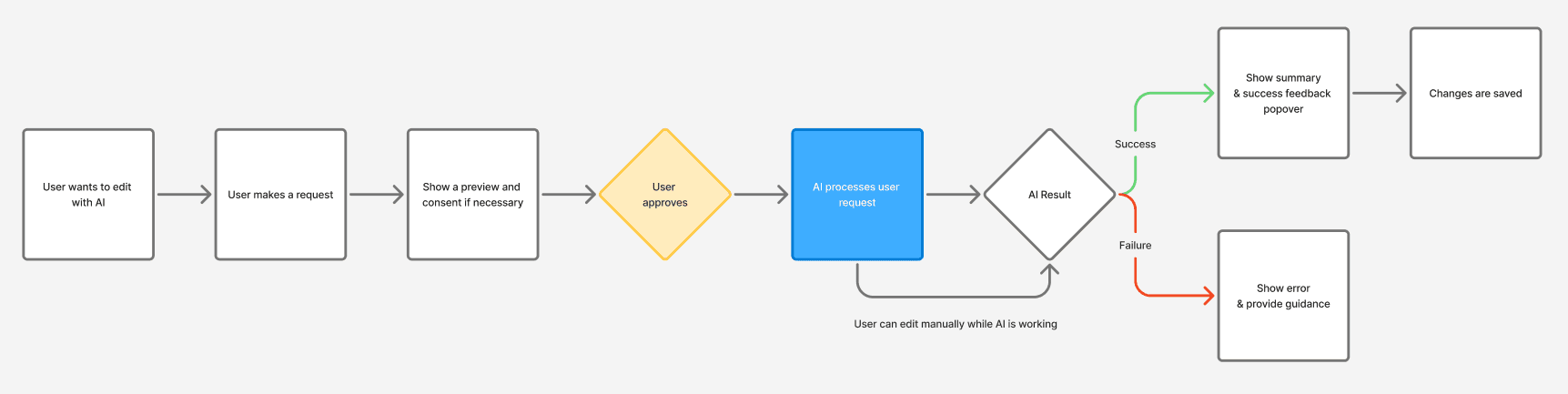
Working with the PM and developers, I mapped create and edit flows end-to-end, from entry through consent and generation. The diagram became a shared reference for scope and edge cases.
Clarifying what GenAI could and couldn't do was ongoing. As engineering confirmed or ruled out capabilities along the way, we adjusted the flows and the design.
Design Concepts
Choosing the right design direction
After research and flow mapping, I sketched five concepts to align with my colleagues on which one fit Automations best. I believe in pushing past the first safe ideas to widen the options, so the final direction is chosen deliberately.
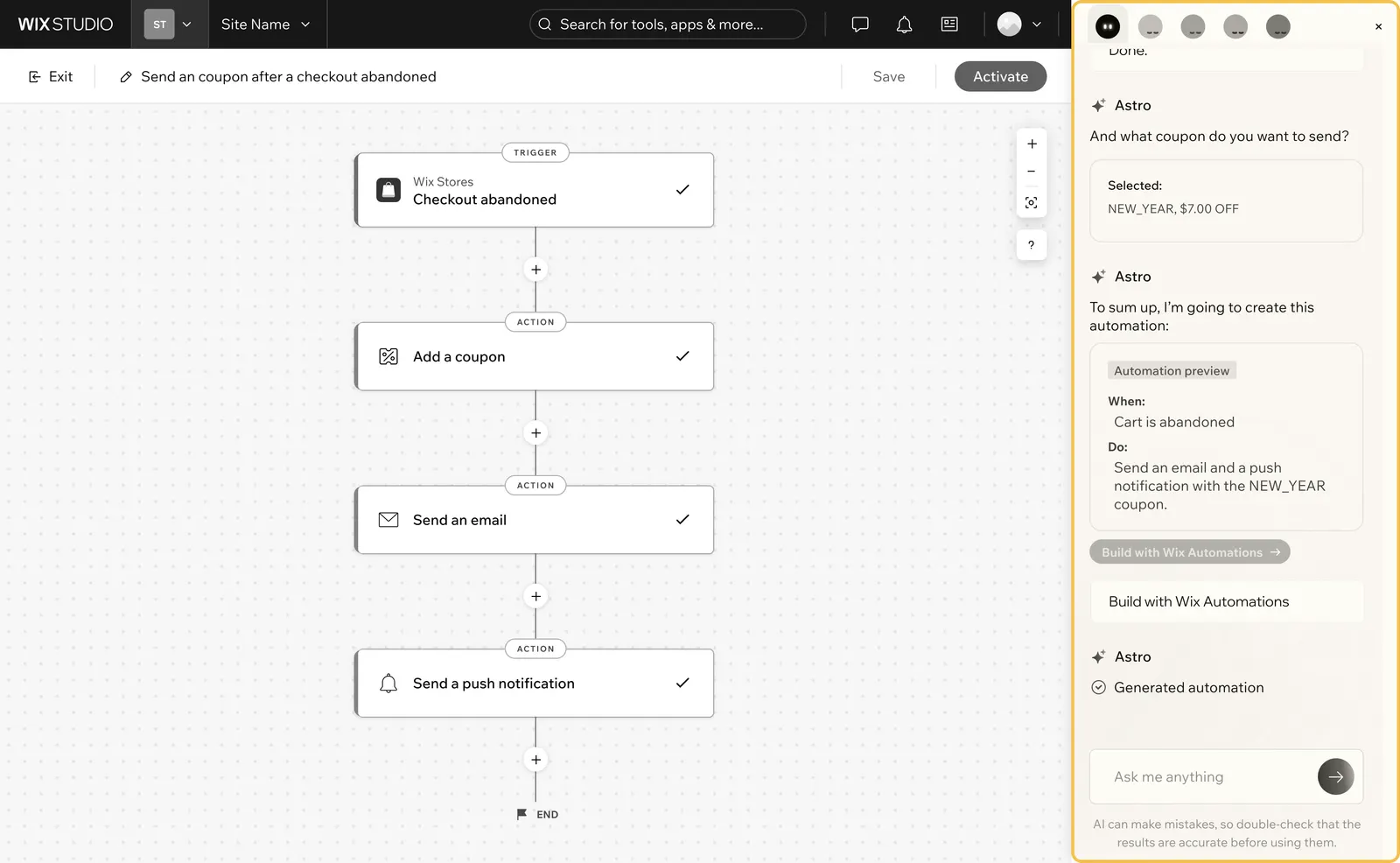
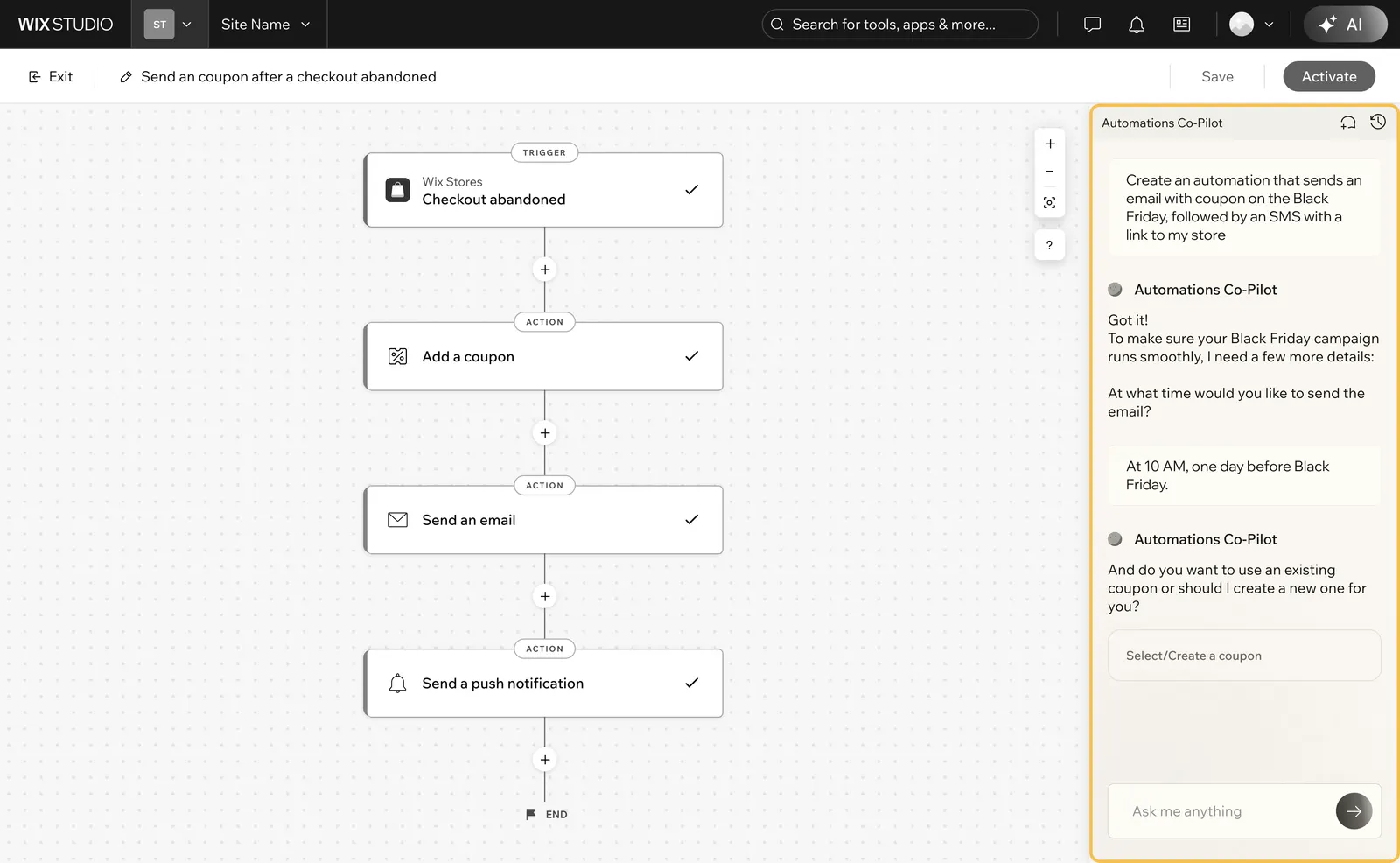
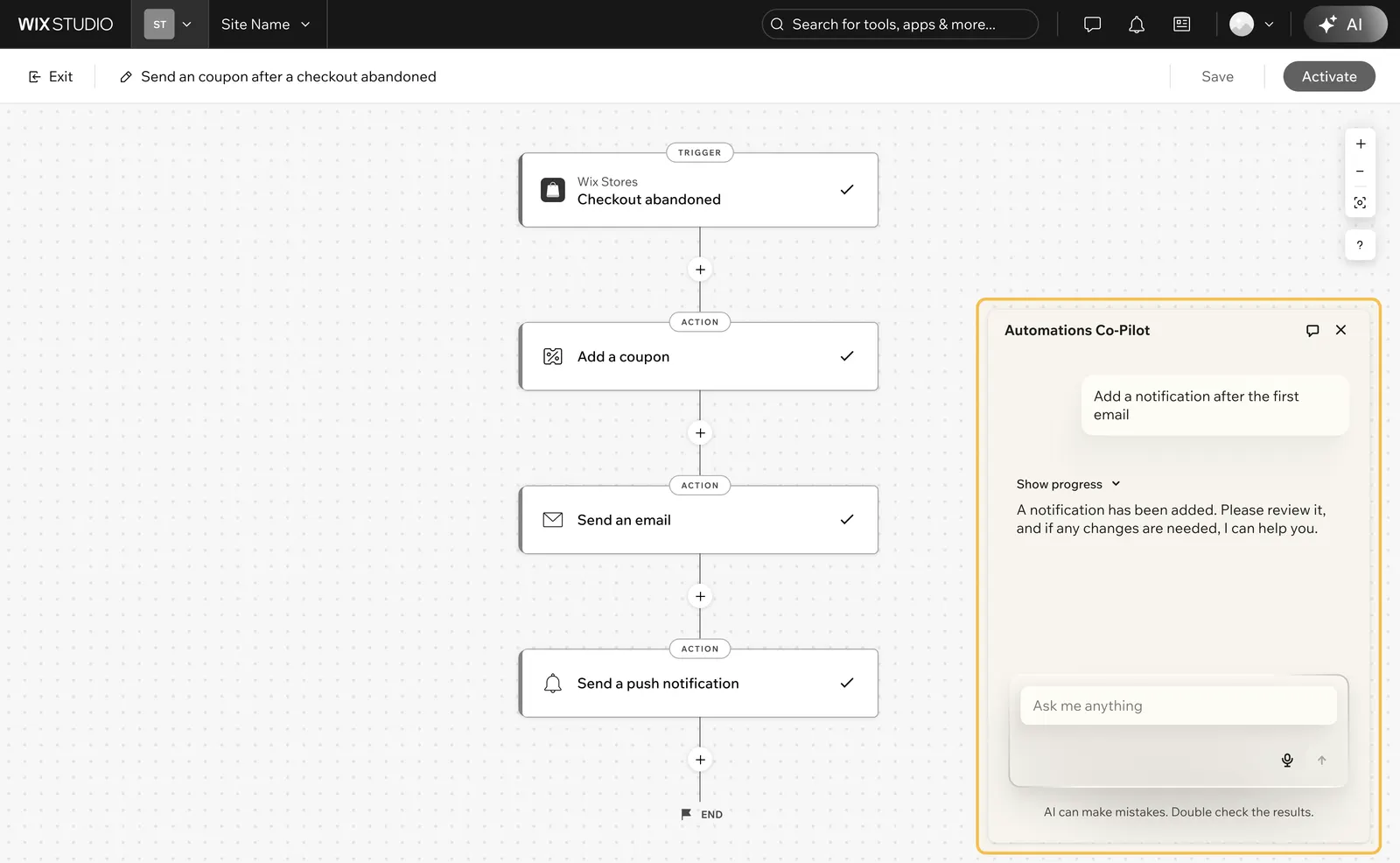
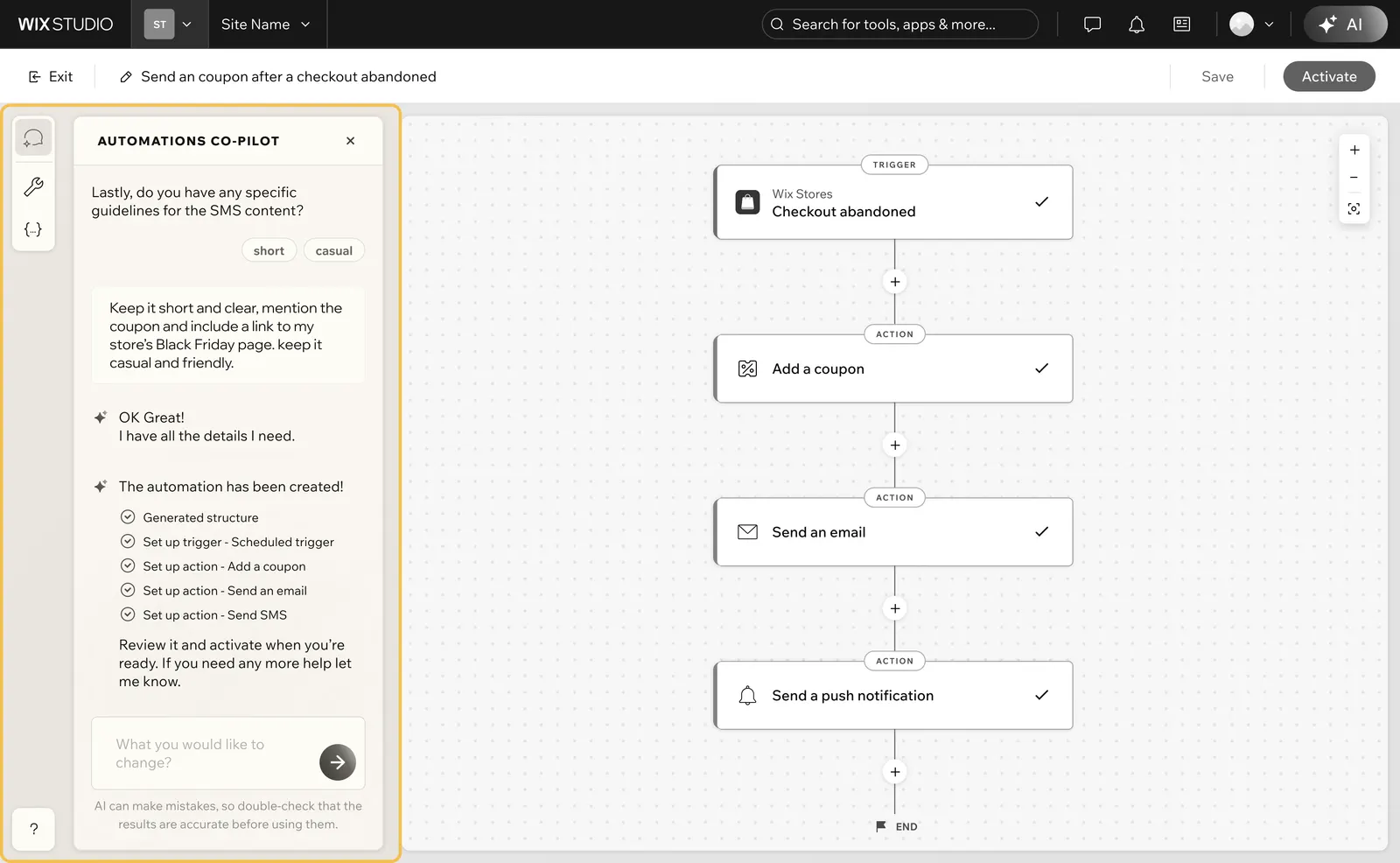
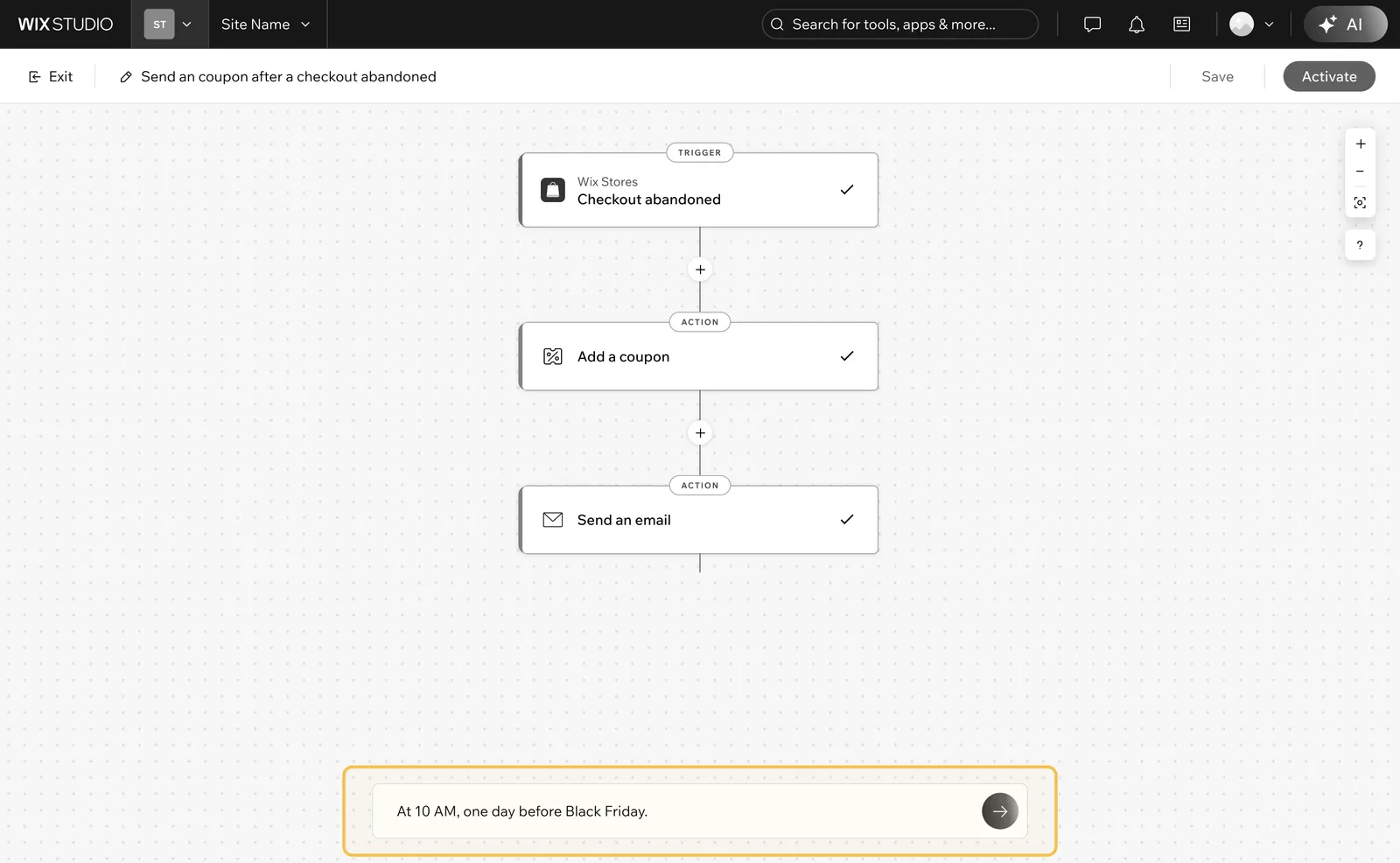
We first committed to a conversational solution because AI often needs to ask clarifying questions, so a single prompt field wouldn't be enough.
We chose the floating panel because AI's capabilities were still unclear and we didn't want to over-promise an AI-first canvas or disrupt the manual builder people already trusted.
Final Designs
Design to keep users in control and build trust through transparency
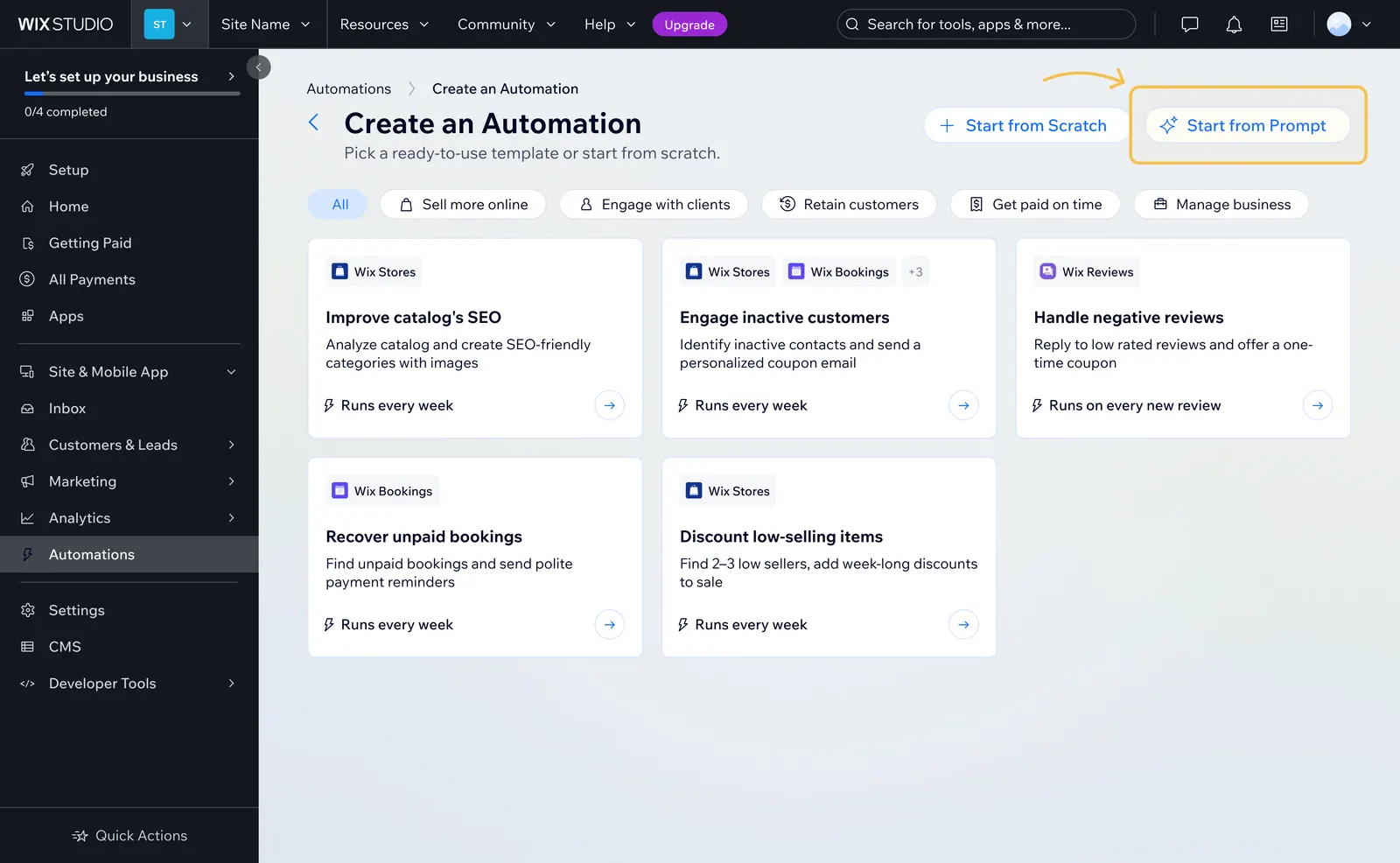
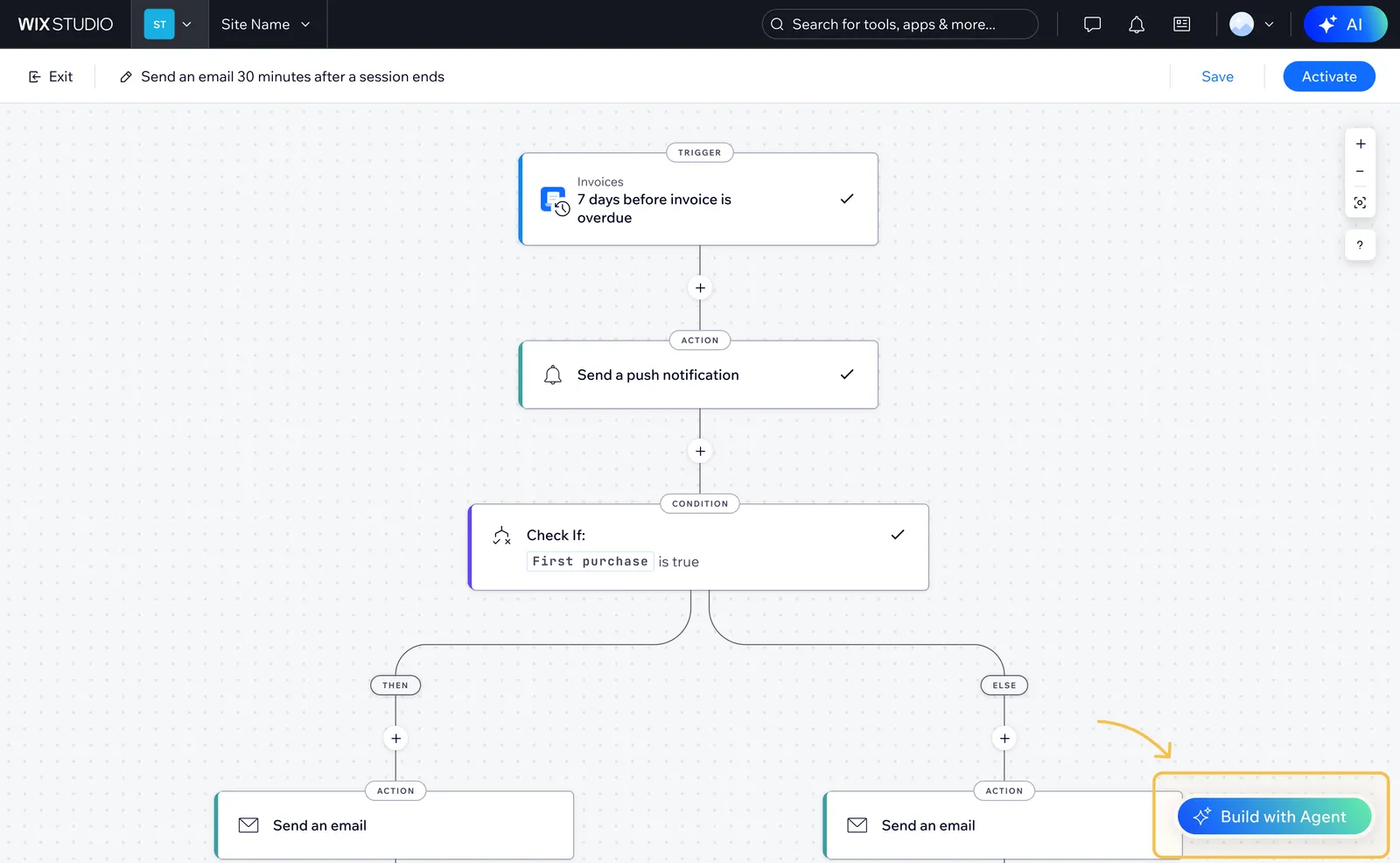
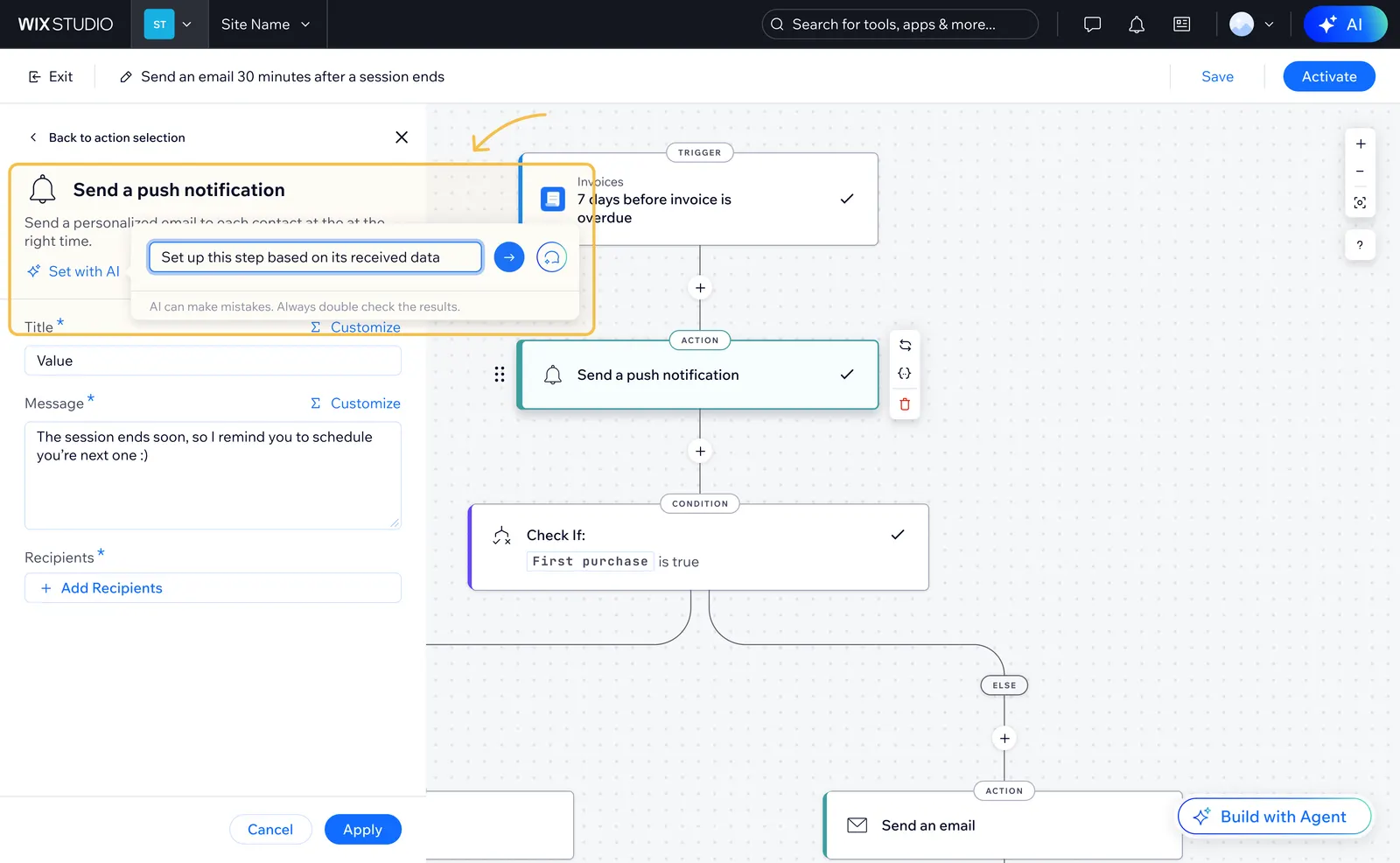
Entry points wherever users might look for AI
Each entry point matches intent in that moment, so GenAI is findable without a single forced path.
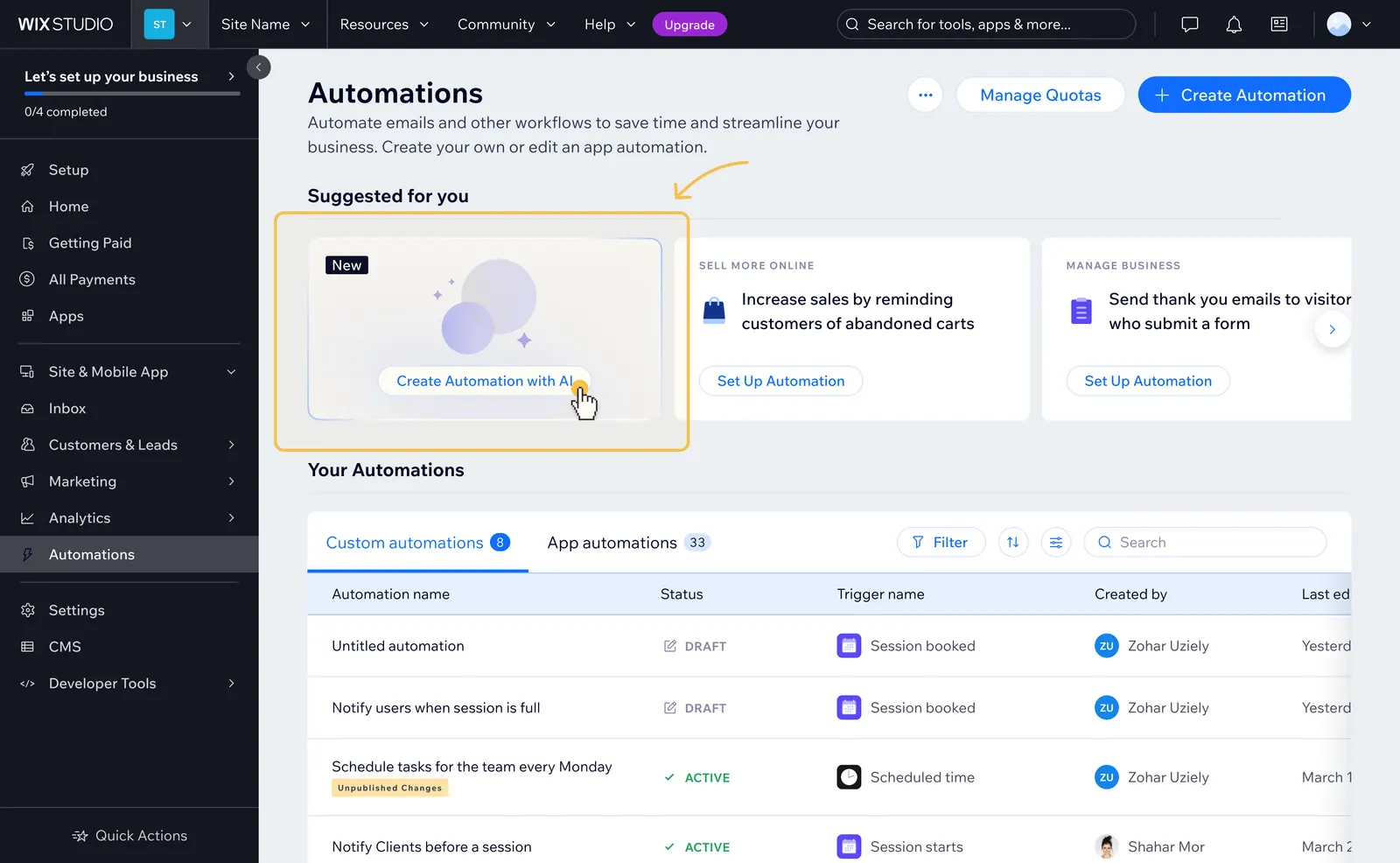
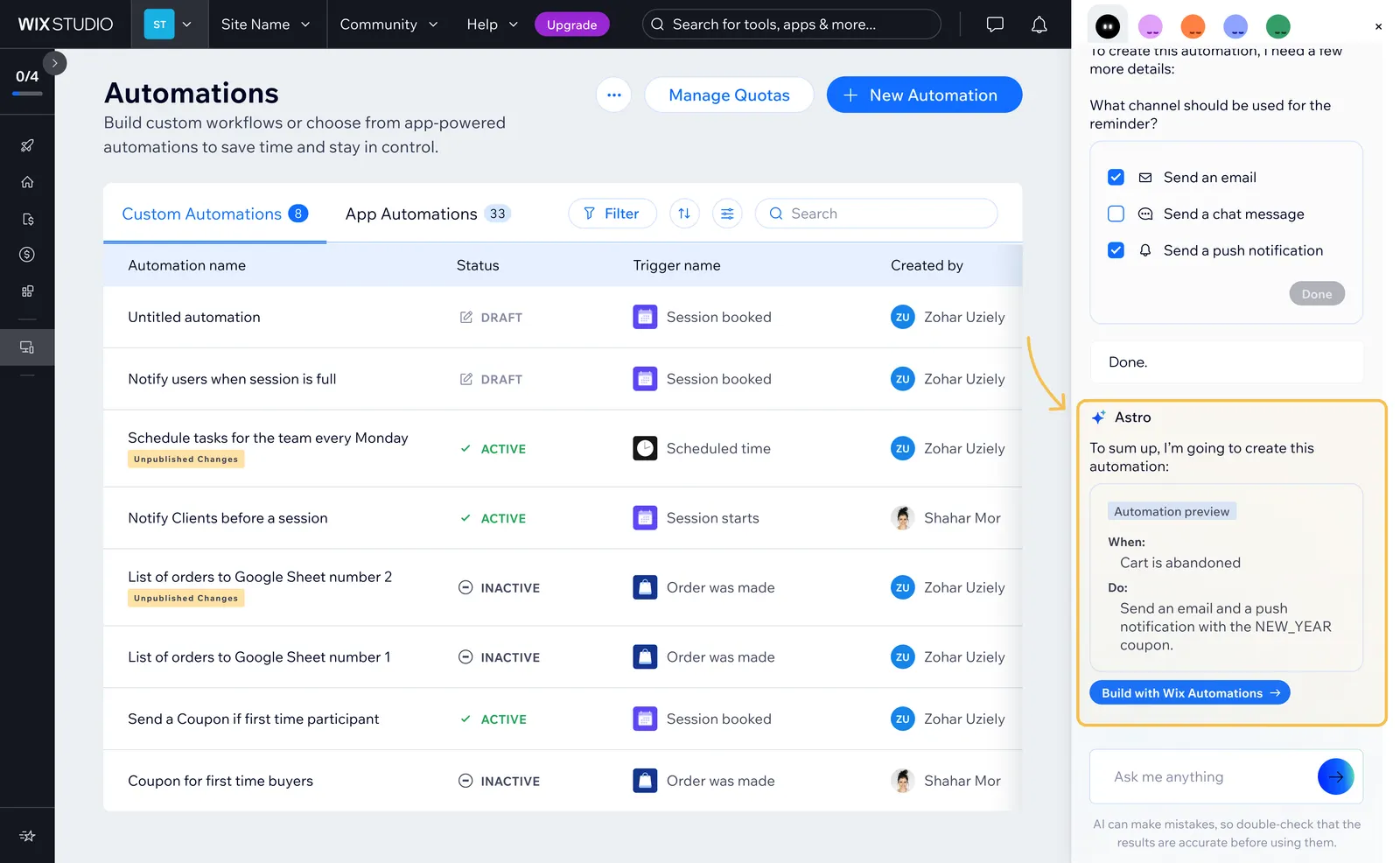
1. Automations homepage
The homepage is where users manage and create automations, so a GenAI entry point here makes the capability visible as soon as they arrive.
Empty states that add clarity
When chat opens empty, the empty state sets expectations for what the AI can help with and how to start, so users aren't left guessing.
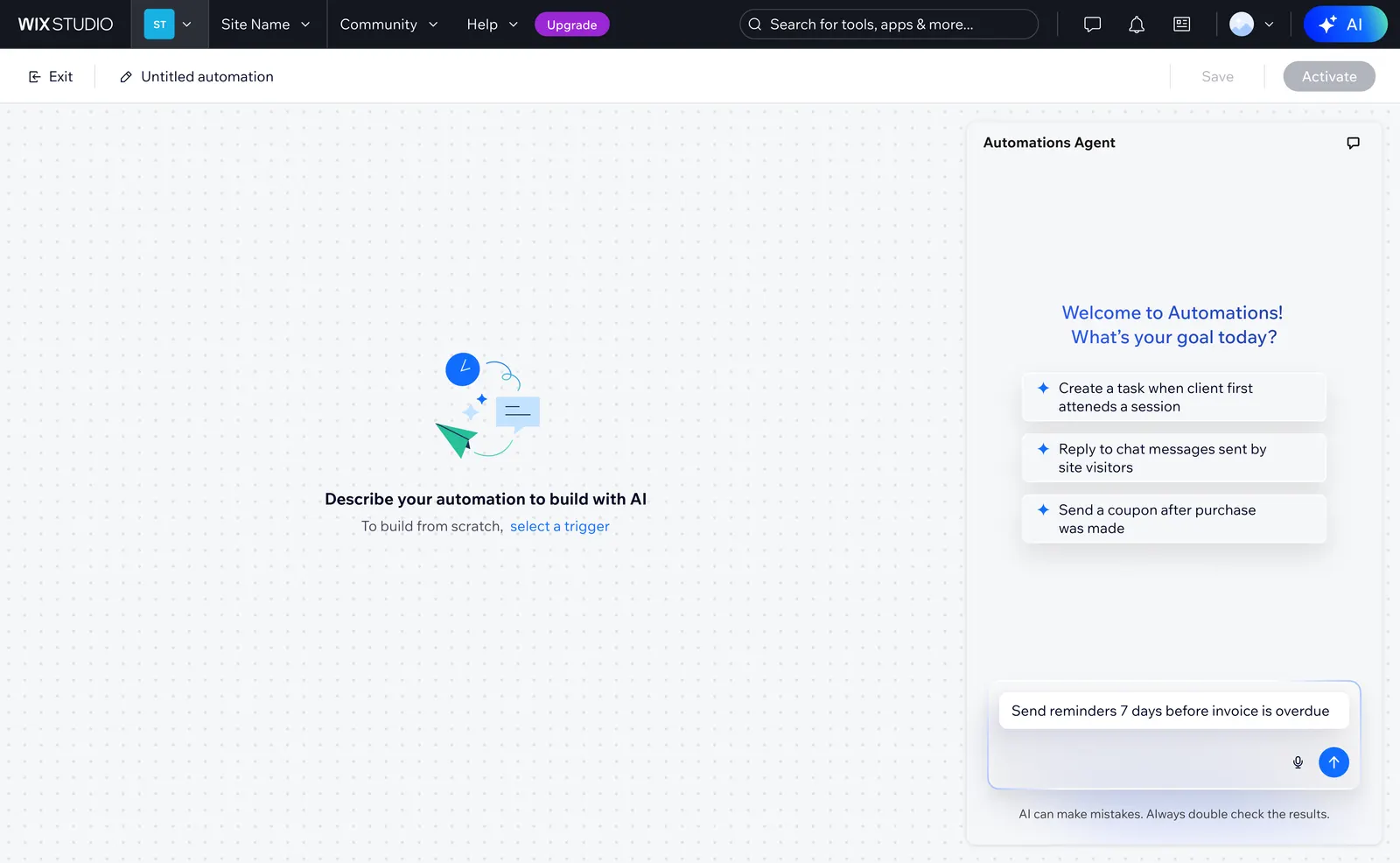
Create
Suggested prompts lower the barrier to a first request. For anyone who chose "Create with AI" but then wants to build manually, a clear path stays on the canvas.
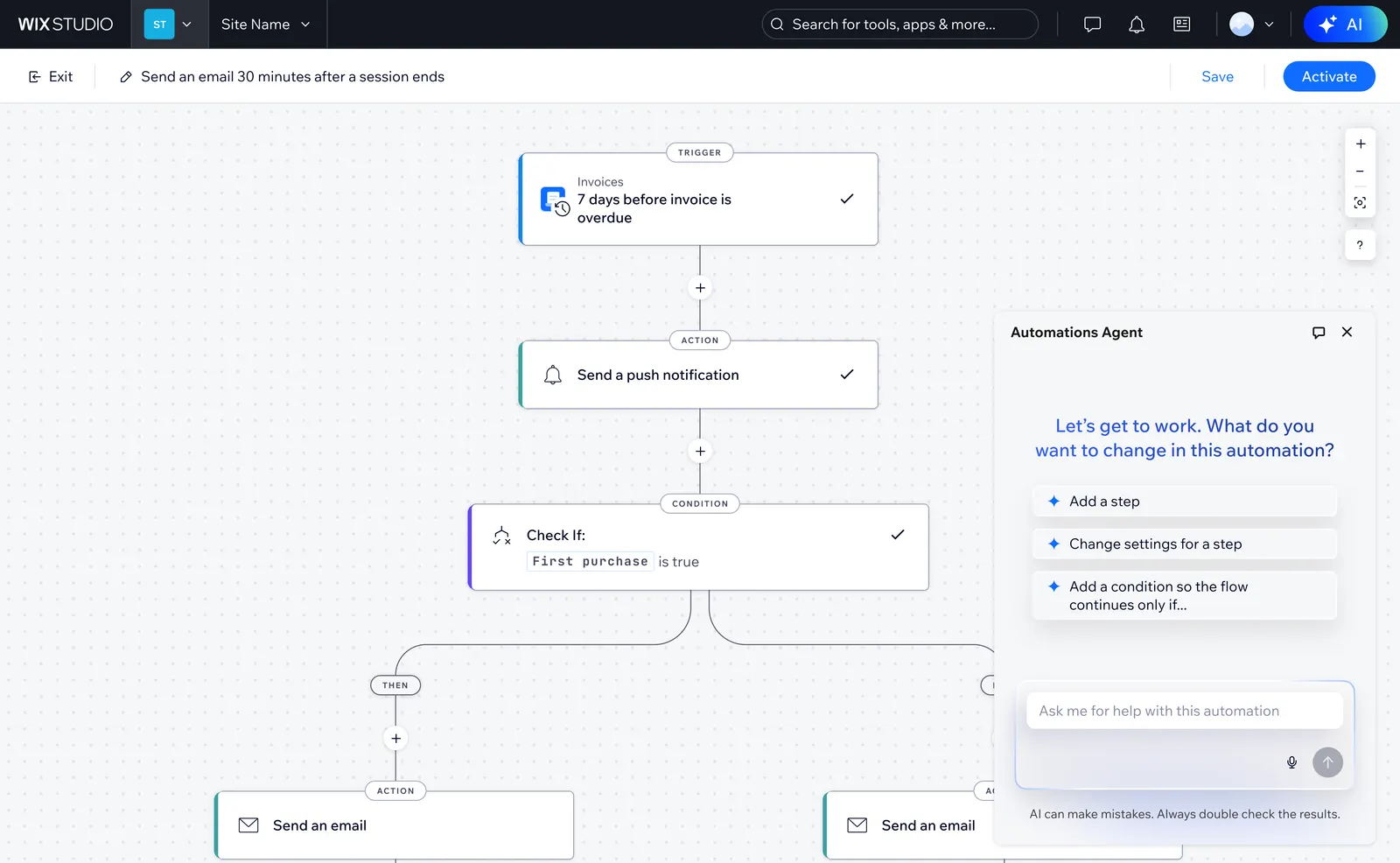
Edit
Suggested actions like adding a step or a condition show what the AI can change. Users can steer from there without starting the automation over.
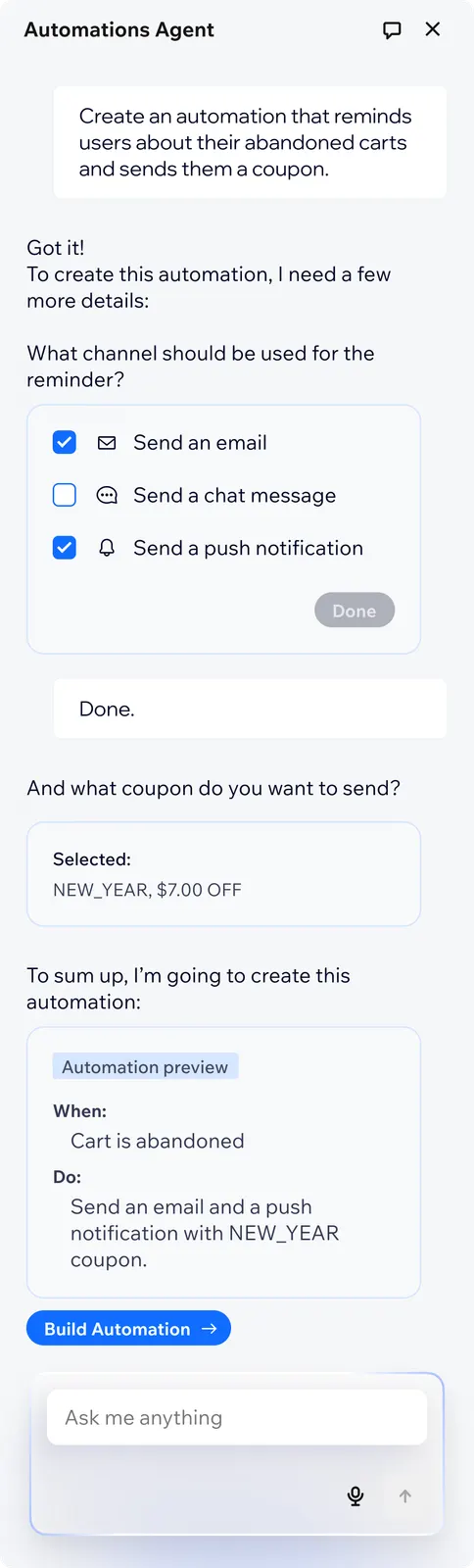
Precise and concise conversations
The agent stays concise. For critical or missing details, it asks and waits for apply. For low-risk or knowable gaps, it assumes and auto-applies, since users can always edit afterward.
If it can't fulfill a request or fails mid-generation, it says so and shows what to do next.
We tested the agent's responses with the team and revised its guidelines as we learned what felt clear, pushy, or confusing.
Building trust through transparency and feedback
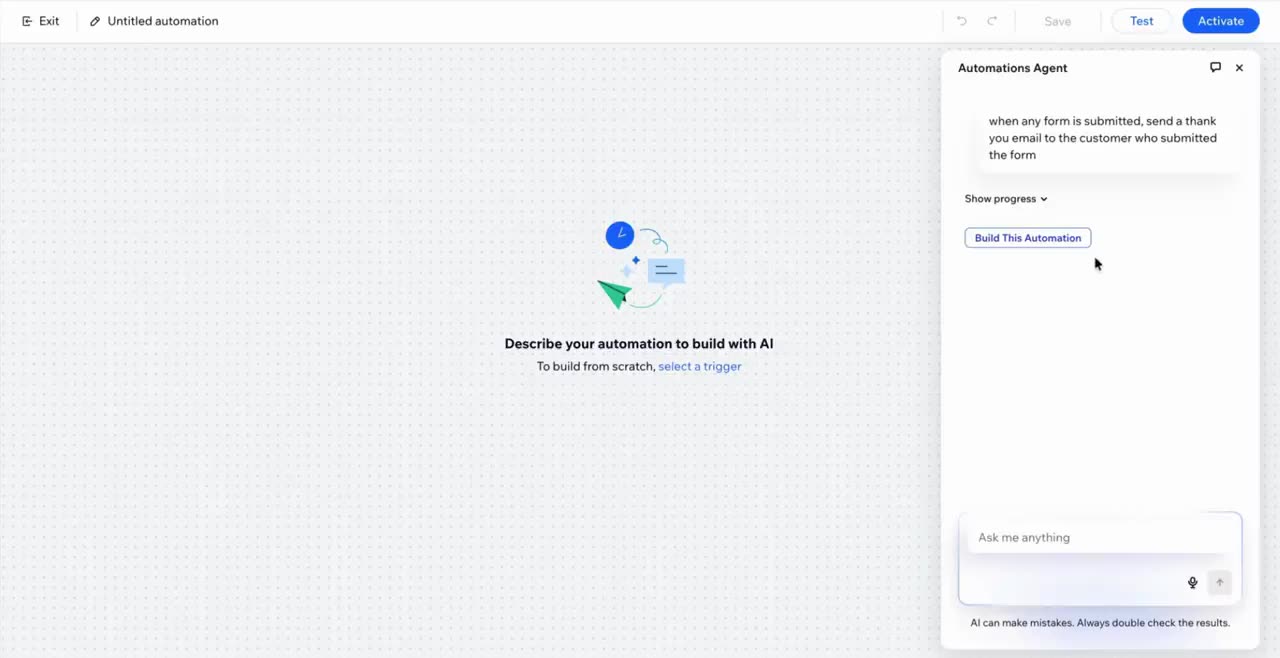
Live progress indicators
While the AI works, real-time progress tied to the engine shows what it's doing now.
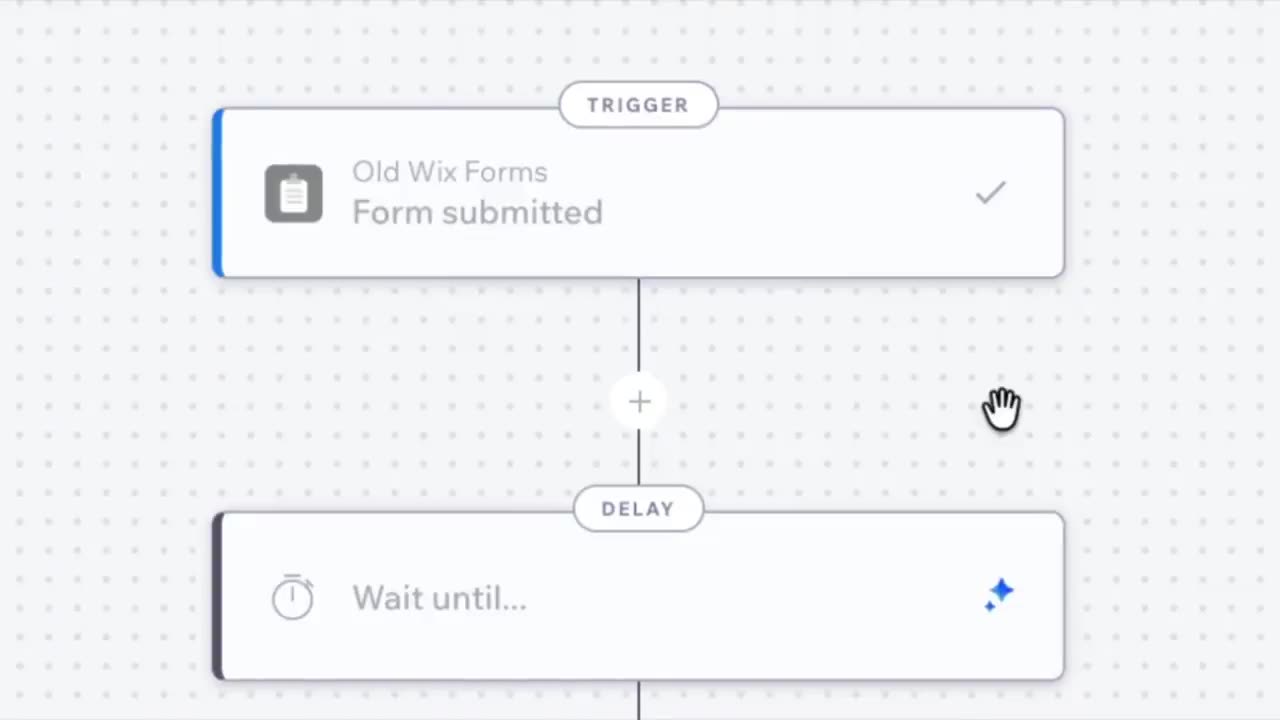
Post-edit feedback
After each edit, a short feedback prompt asks if the result helped, inviting the user into the loop and feeding signal back into the AI.
Results
Within a month, AI-generated automations accounted for 1% of Automations traffic, higher than we expected
- AI-created automations reached create-to-activate rates on par with templates and from-scratch builds. This shows that users were willing and able to use AI to create automations that fit their needs.
- Automations created with AI aren't necessarily more complex, but they are better-suited to the actual use-cases. They are more tailored than generic templates, and built more professionally than typical from-scratch flows by applying the right features and best practices.
Future Plans
One line to create them all
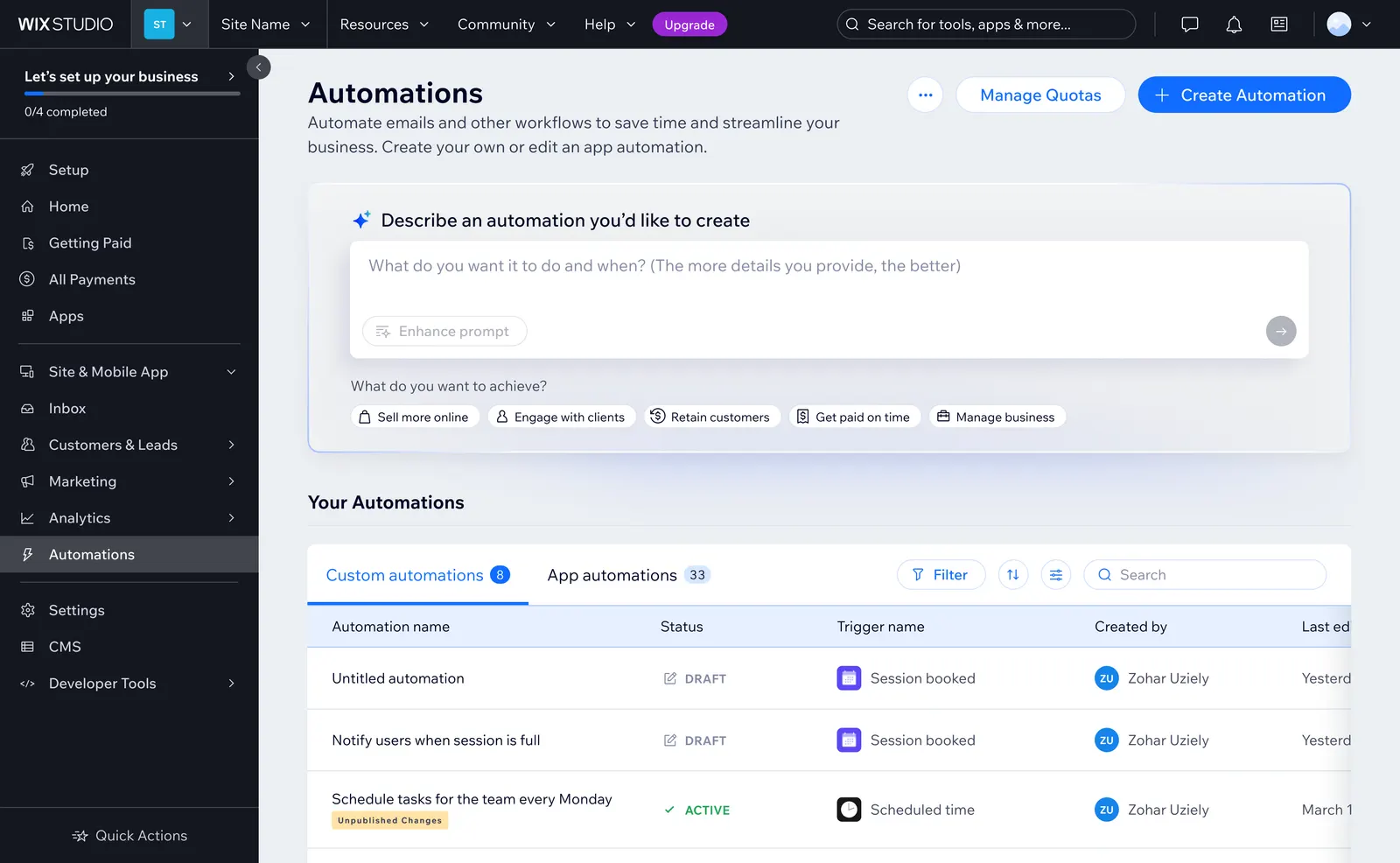
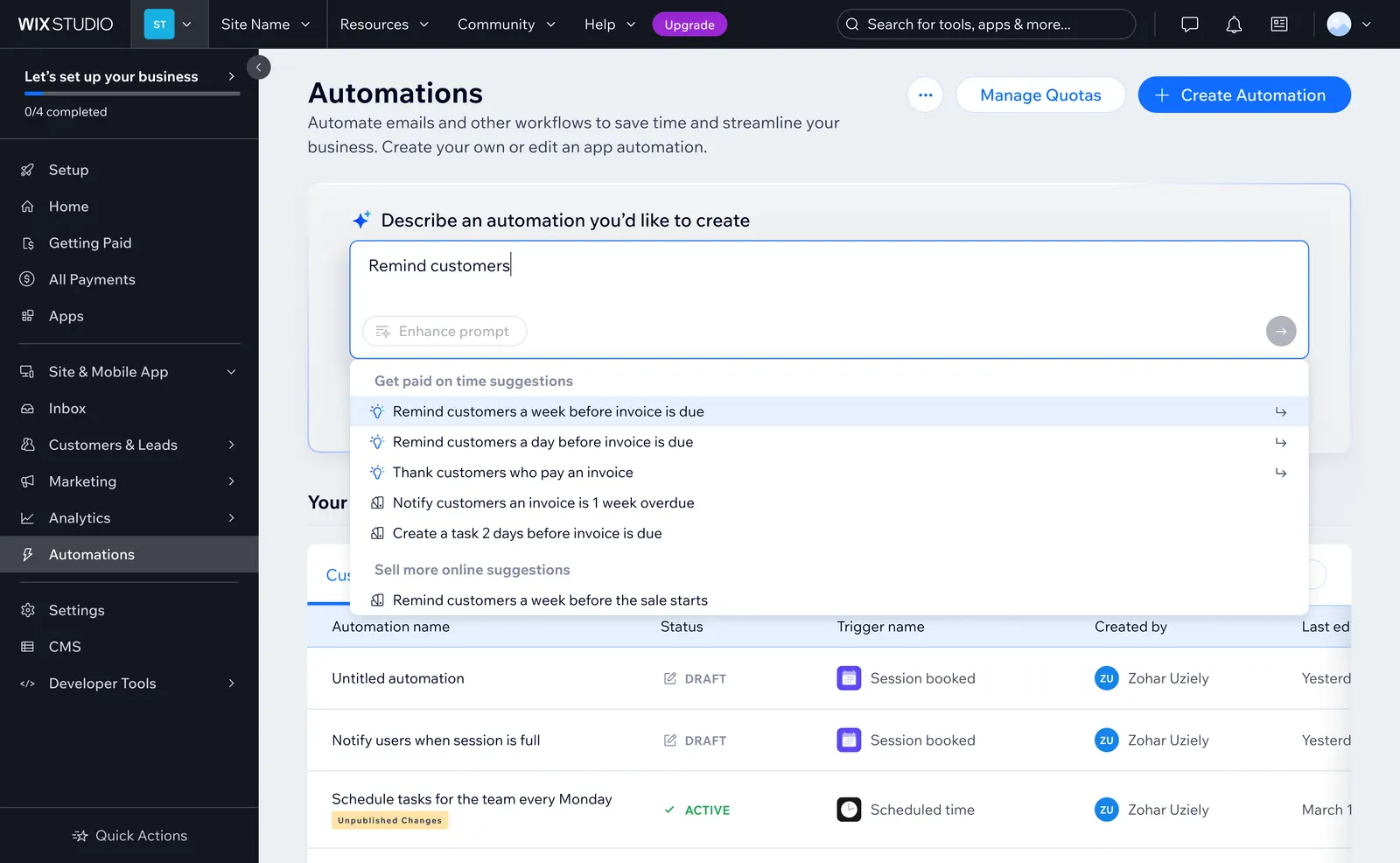
Today, creating an automation asks users to pick a path first - from scratch, template, or AI - before they know what they need. Most arrive with a goal, not a method, and their initial prompts often need refinement before AI can generate an accurate automation.
To solve this, I explored a one-liner entry: describe an intent in plain language, get a fitting template or a stronger prompt, then continue into the builder agent.
Final Thoughts
Adding GenAI lowered the barrier so more users could use Wix Automations' full power
What I learned: AI should give control, not take it away
This project reinforced for me that AI is a powerful capability and worth putting in users' hands, but only thoughtfully and without taking away their control. The strongest experience was hybrid: describe a request, watch it take shape on the canvas, stop it if it's wrong, then fine-tune.
Collaboration is the key
This project demanded especially close collaboration because the AI's capabilities and edge cases were still unclear. Working closely with the PM, developers, and UX writer helped us clarify scope as we went, adapt to new constraints, and shape a clearer conversation experience.
What's next for Wix Automations
This project opened the door to several exciting directions: creating automations from anywhere in Wix, and proactive agents that detect broken flows, suggest fixes, or recommend optimizations based on performance data.